Launch configurations and async Bash
Nerve separates a durable launch configuration (a saved definition) from its individual launch runs. A definition owns its name (stored as a label), command, working directory, and launch policy. Restarting creates a new run in the same lineage, so the launch and tab remain stable while prior output stays in History.
single(default): launching an active definition focuses its current run.concurrent: launching can create another active run.
Use bash for commands and launch for the user’s saved dev servers. Bash can run explicitly in the background or move there automatically after a user-controlled wait. Background runs always notify the conversation on exit. A launch is separate from an agent todo: launches supervise processes, while todos describe work inside a conversation.
Before starting a server, check launch status and prefer an existing launch definition. Definitions live in .nerve/launches/definitions.json; only the user can create or edit them.
Create a launch configuration
Section titled “Create a launch configuration”- Open Launches and choose Create launch.
- Enter a name and command, such as
Web devandpnpm dev. - Optionally choose a working directory and TCP port. A blank working directory uses the project root; relative paths resolve from it.
- Choose Single run to focus an existing active process, or Concurrent runs to allow multiple processes.
- Save, then use the play control to start it. Inspect output and readiness before opening the service.
The panel also supports editing, duplicating, deleting configurations, and saving an existing run as a configuration. Editing changes future starts; existing runs keep their original command. Deleting a configuration is distinct from stopping a process or removing retained run output. Give saved configurations unique names so the agent can select them reliably.
Agent tool contract
Section titled “Agent tool contract”bash accepts a command and an optional project-relative or absolute cwd inside the project. background: true returns at once. Its optional ready string is an HTTP(S) URL or a regex matched against stdout and stderr. Readiness waits at most 60 seconds; a timeout does not stop the process.
With auto-promotion enabled, foreground commands still running after the configured wait become async Bash, and timeout is not available. With promotion disabled, foreground calls require a timeout in seconds and the process tree is killed when it expires. Background runs have no time limit.
Use async_bash list for running commands (all: true includes finished runs), async_bash logs to inspect output, and async_bash stop to terminate a process tree.
Use launch({ action: "status" }) to discover launch names, commands, statuses, and available run IDs. A saved launch’s name is its trimmed label, or its trimmed command if no name was set. Names match exactly and case-sensitively in the current project; surrounding selector whitespace is ignored. Definition IDs are internal and are not tool selectors.
| Action | Arguments |
|---|---|
status |
none |
start |
name |
logs |
name, optional runId, offset, limit |
stop, restart |
name, optional runId |
launch({ action: "start", name: "Web dev" }); // command shown by status: pnpm devlaunch({ action: "logs", name: "Web dev", runId: "launch_…", limit: 100 });launch({ action: "restart", name: "Web dev" });launch({ action: "stop", name: "pnpm preview" }); // command fallback for an unnamed launchWithout runId, logs, stop, and restart select the latest run. Supply a run ID from status to target a particular execution of that name; mismatched names or projects are rejected. Start does not accept a run ID. Restart uses the current definition, starting it if nothing is running. Status distinguishes the current command from an older run’s command when they differ. Lifecycle responses, including nothing-running responses, and log headers identify the name and command; run IDs remain secondary diagnostics.
Saved definitions are matched before ad-hoc launches. Multiple runs of one definition do not make its name ambiguous, but duplicate saved names fail rather than silently selecting one—even with a run ID. Rename duplicate definitions in the UI, then refresh status. Distinct ad-hoc launch lineages with the same display name also require disambiguation; a run ID can select one. After renaming any launch, use its new name. New tool calls do not accept the old id argument; historical calls remain readable.
Supervision
Section titled “Supervision”A single definition already running returns its active launch rather than starting another. If a definition declares a port, start and restart wait up to 30 seconds for it to listen. Port conflicts report the listener’s PID and process name; agents never terminate foreign listeners.
Both log tools accept a 0-based offset and limit (default 100, maximum 500). Omitting offset returns the last lines. Large output is summarized with file paths for read/grep, rather than flooding the conversation context. Status and log actions are reads and never ask for approval; process-changing actions use command policy.
Recovery
Section titled “Recovery”Nerve does not recover processes after a daemon restart. Async Bash becomes lost; launch instances are memory-only. Saved launch definitions and log files remain, so inspect the retained output and start the current definition when needed.
Async Bash ends on process exit, async_bash stop, conversation stop/delete, or daemon shutdown. Stop terminates the process tree gracefully, then escalates after a bounded wait.
Quitting the desktop app terminates active local process trees before its owned daemon exits. Closing to the tray leaves processes running.
Launch controls
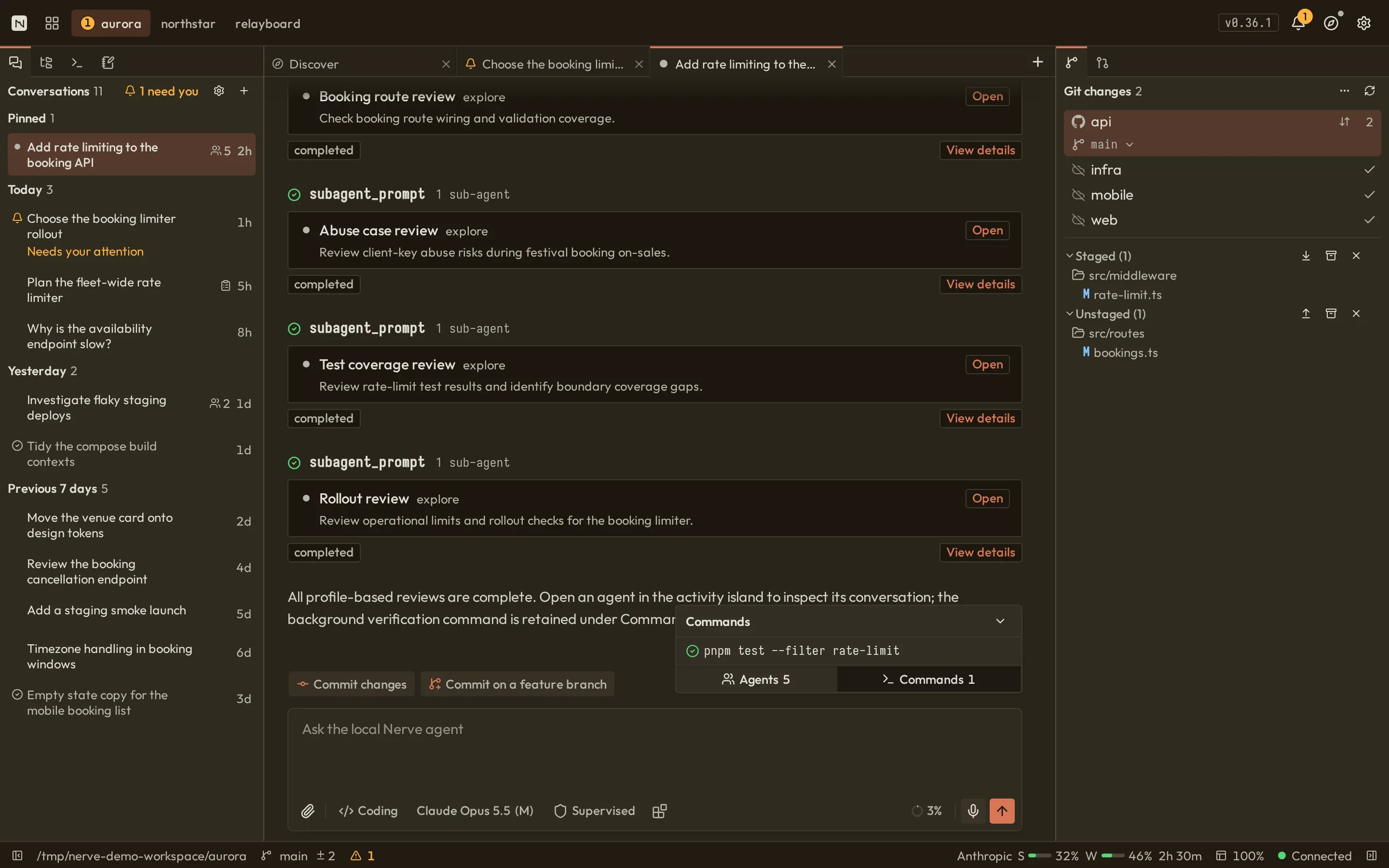
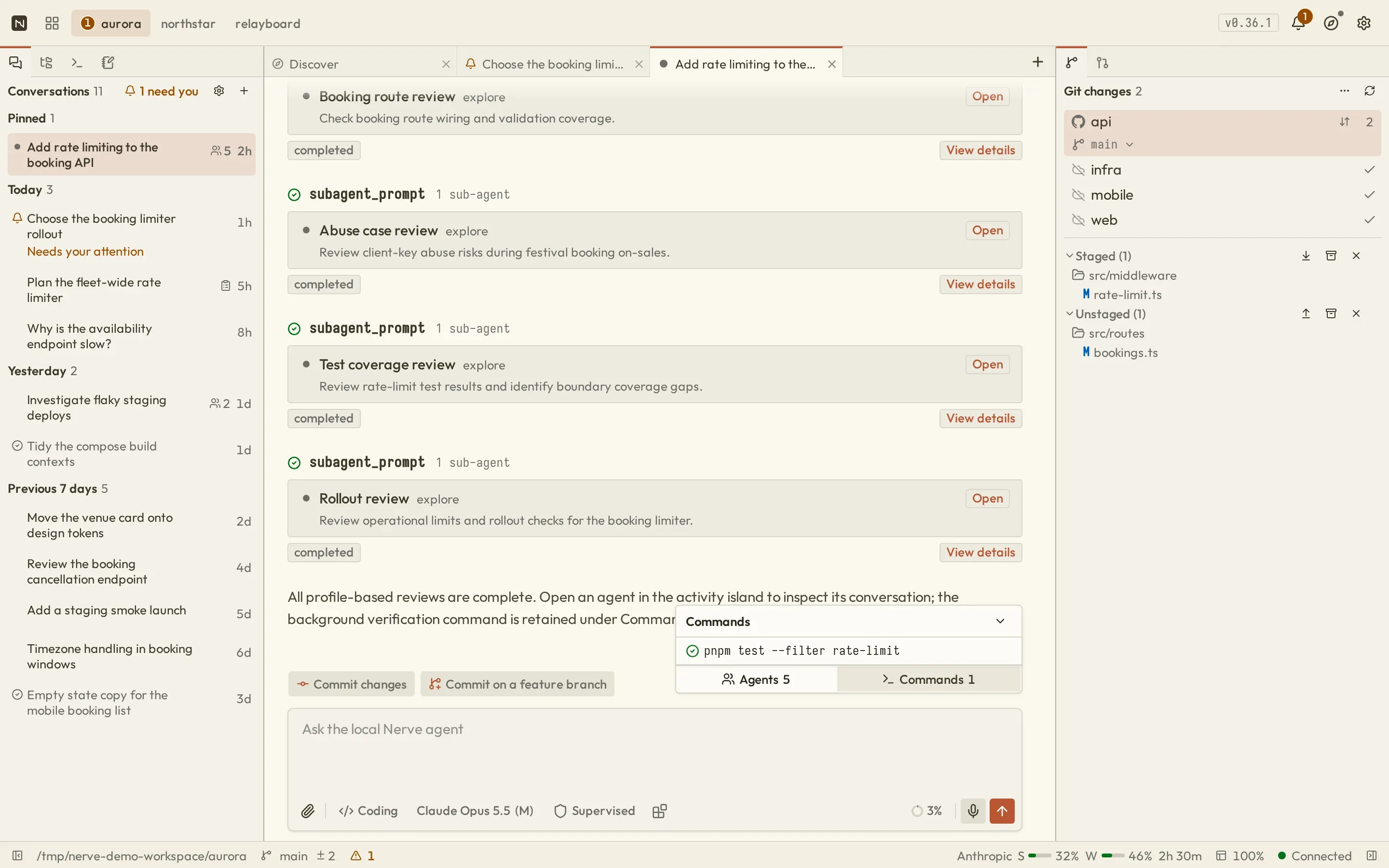
Section titled “Launch controls”Async Bash appears under Commands in the transcript’s activity island. Select a command to open its output tab, inspect exit state and elapsed time, load earlier output, jump to the latest lines, or stop it while it is running. This is separate from the saved Launches panel.
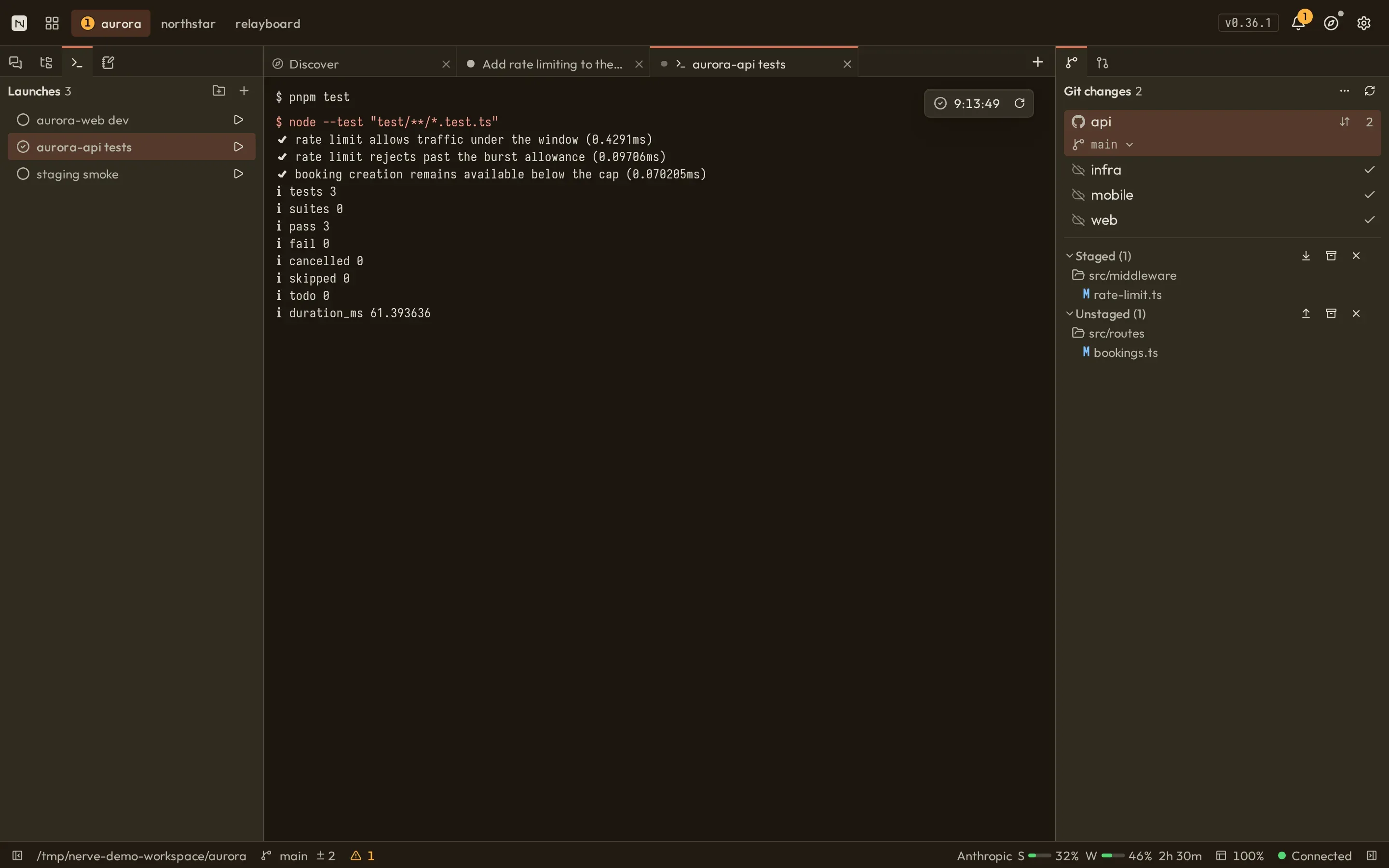
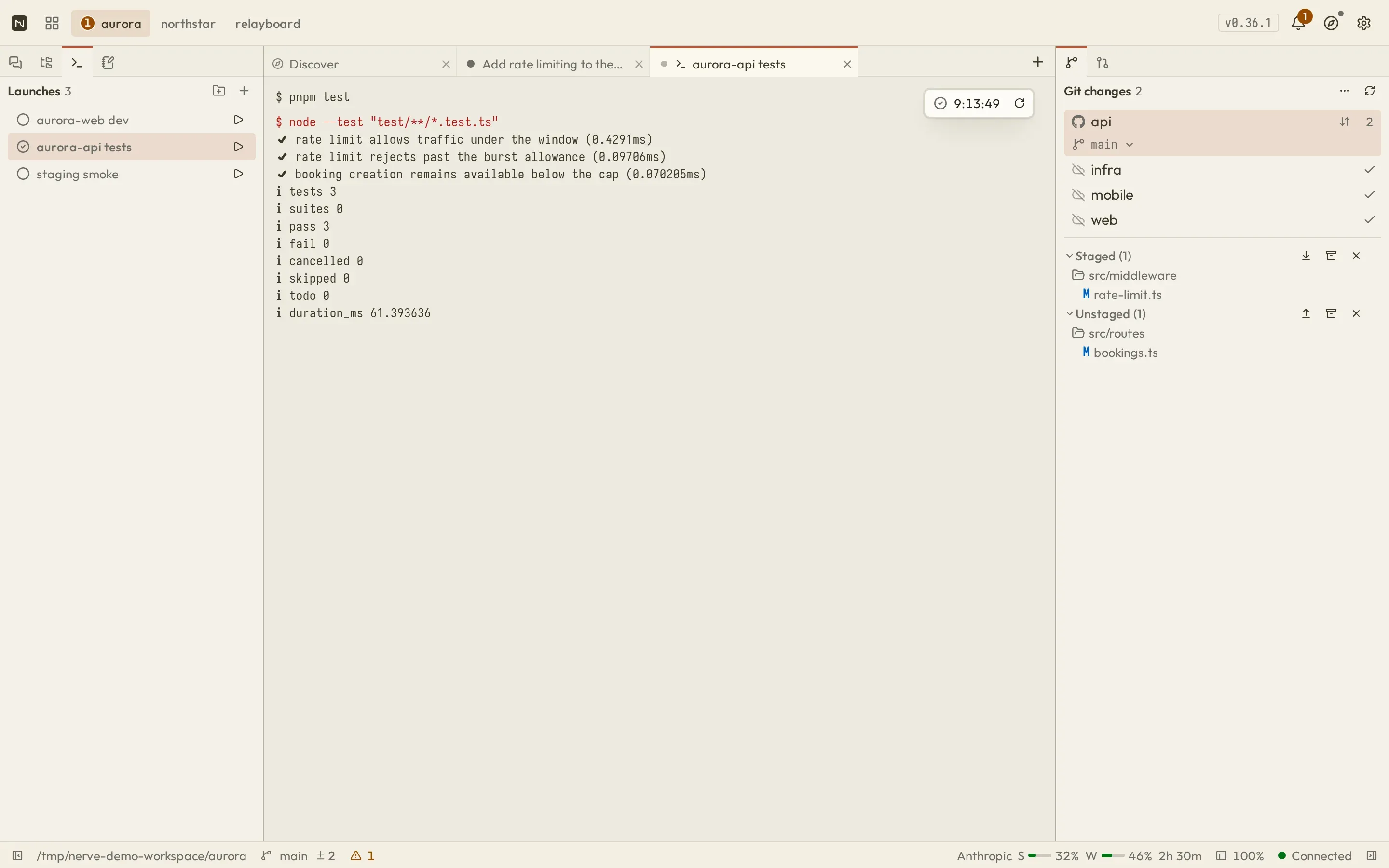
The Launches panel lets you inspect saved definitions and their runs, start or restart the current definition, stop a launch, and inspect retained output. Agents use the same definitions through launch; they cannot create or edit them. A new start or restart creates a new launch without changing the definition’s identity.
Agent notifications
Section titled “Agent notifications”Explicit and auto-promoted background Bash runs always queue an async_bash_event completion notice. When a launch started by an agent exits on its own, the starting conversation receives a notice with its name, command, status, exit code, and a projected output tail. These notices can wake the agent; do not poll for completion. Launch notification ownership is held in memory and does not survive daemon restart. Workbench launch updates to the UI are separate from desktop/browser toast notifications.