Free & open source · Beta

More work per token.
More control per run.

An open-source coding workbench on a lean, well-tested harness — your subscription goes to your problem, and every step stays in plain sight.

npx @nervekit/desktop@latestNode.js 24+

Linux · macOS · Windows · local-first

nerve · live run

Simulated Nerve run: the user prompt, the agent's reasoning, a read tool call with its bounded output, an approval gate for an edit, the applied diff, a verification command, and the final reply.

  1. You

    Add a retry budget to the run recovery path.

  2. Recovery lives in run-recovery.ts. A budget needs the retry count and the base delay in one place, so both call sites read one constant.

  3. readpackages/harness/src/run-recovery.ts
    Read 214 lines
    214 linesShow 7 more items
  4. approvaledit needs reviewapproved
  5. editpackages/harness/src/run-recovery.ts
    +12 −3 · retry budget wired into the recovery loop
    2 hunksShow 7 more items
  6. bashpnpm test --filter @nervekit/harness -- run-recovery
    ✓ recovery continues from checkpoint (12 tests)
    Done in 3.2s
    6 linesShow 7 more items
  7. Retry budget added: three attempts on a 2s exponential base.

Lean by design

Your tokens go to your problem.

A concise base prompt, tools selected for the run, and bounded output keep context focused. Project guidance and skills add what the work needs; full tool output stays available for inspection.

A focused starting point.

A concise base, plus guidance for the work.

You are Nerve's coding agent. Work safely in the current project and keep responses concise.
base prompt excerpt

Only the tools it needs.

Unavailable tools stay out of the request.

  • read
  • edit
  • write
  • grep
  • bash
  • subagent_prompt
  • launch
  • web_search
  • python
  • jira
  • confluence
  • vision
  • only when available

Big outputs, trimmed — not lost.

The full output stays on disk. The agent opens it when it needs it.

1.8 MB of test outputexample

24 KB

to the model

+ pointer to the rest

Archive · kept in full

read on demand

Runs on the plan you already pay for.

  • Anthropic
  • OpenAI Codex
  • GitHub Copilot
  • API keys
  • auto-compacts before the window fills
How tool output reaches the model

Transparent by default

Watch every step. Steer without stopping.

Follow streaming text and tool cards that fill in place, from draft arguments to approval and results. Queue a follow-up, change the next request's settings, or branch from an earlier entry.

01

Typed events

Text streams, tool cards fill in place, and full output stays inspectable.

  1. prompt
    You

    Add a retry budget to the run recovery path.

  2. reasoning

    Locating the recovery entry point before editing anything.

  3. tool_call
    readpackages/harness/src/run-recovery.ts
    export async function recoverRun(run: Run) {  const attempt = run.recovery.attempts;  if (attempt >= MAX_ATTEMPTS) return fail(run);  …
    200 of 214 linesfull output retained
02

Steer mid-run

Queue a follow-up. Change model or thinking for the next provider request.

  1. tool_call
    grepMAX_ATTEMPTS packages/harness
  2. steering
    You

    Keep it small — no new dependencies.

    queued
  3. config
    model Opus → GPT · thinking high → lowapplies from next request
  4. reply

    Same run, new settings — I'll use the existing timer.

03

The gate is real

Policy decides before the tool runs. Nothing below the gate executes.

  1. policy

    edit — evaluated before it runs

    • read_onlyblock
    • supervisedask
    • autonomousallow
  2. approval
    approvaledit run-recovery.tsapproved
  3. edit
    editrun-recovery.ts+12 −3
    - const MAX_ATTEMPTS = 1;+ const MAX_ATTEMPTS = 3;+ const BACKOFF_MS = 2_000; // doubles
04

Rewind and branch

Select any earlier entry and continue from it. The old lineage stays.

promptreadeditreply
selected entry

tool_call · read

Ran with Opus · high — earlier entries keep their settings.

New branch · GPT · low

Illustrative run.

The whole loop, one window

From prompt to pull request without leaving.

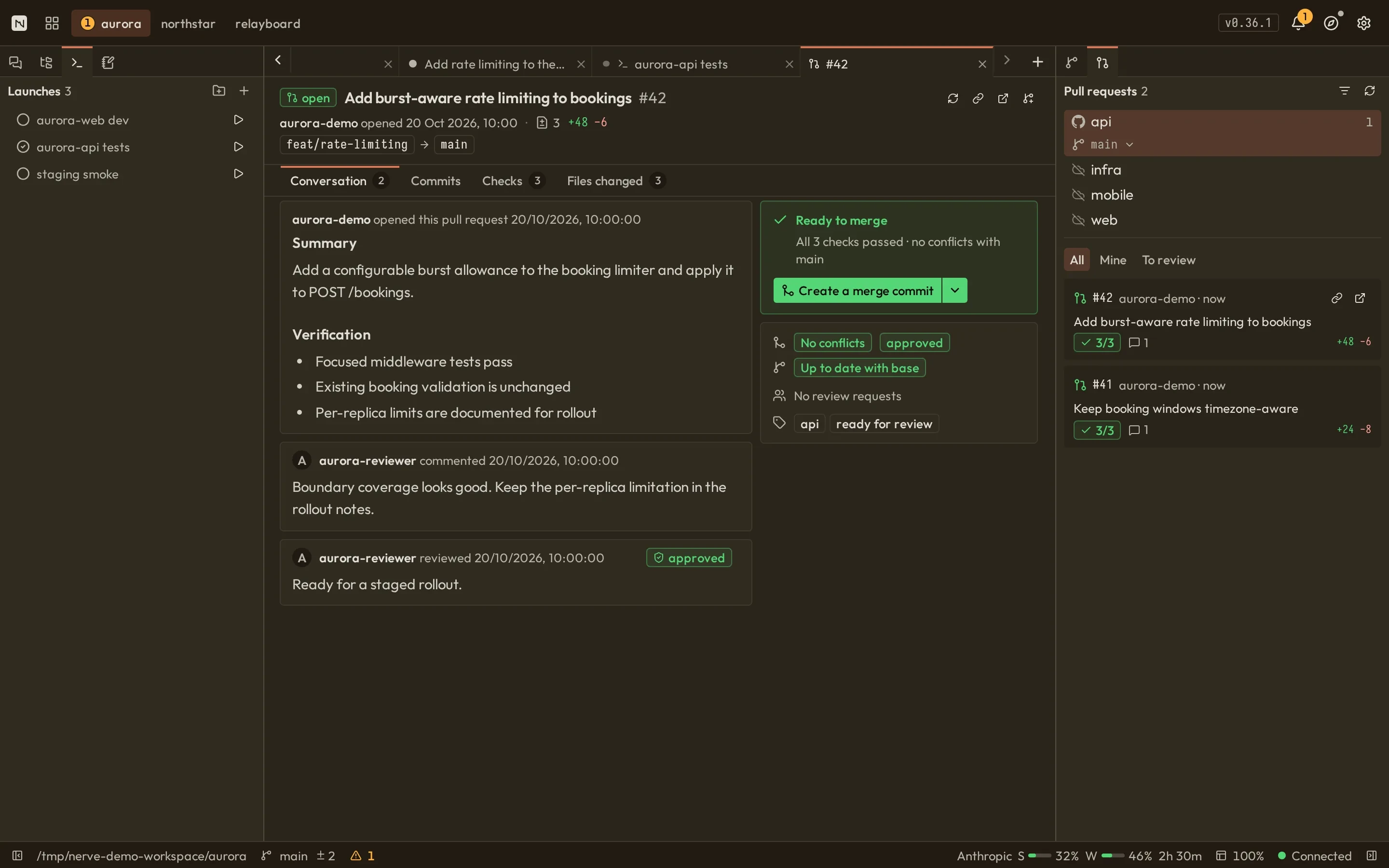
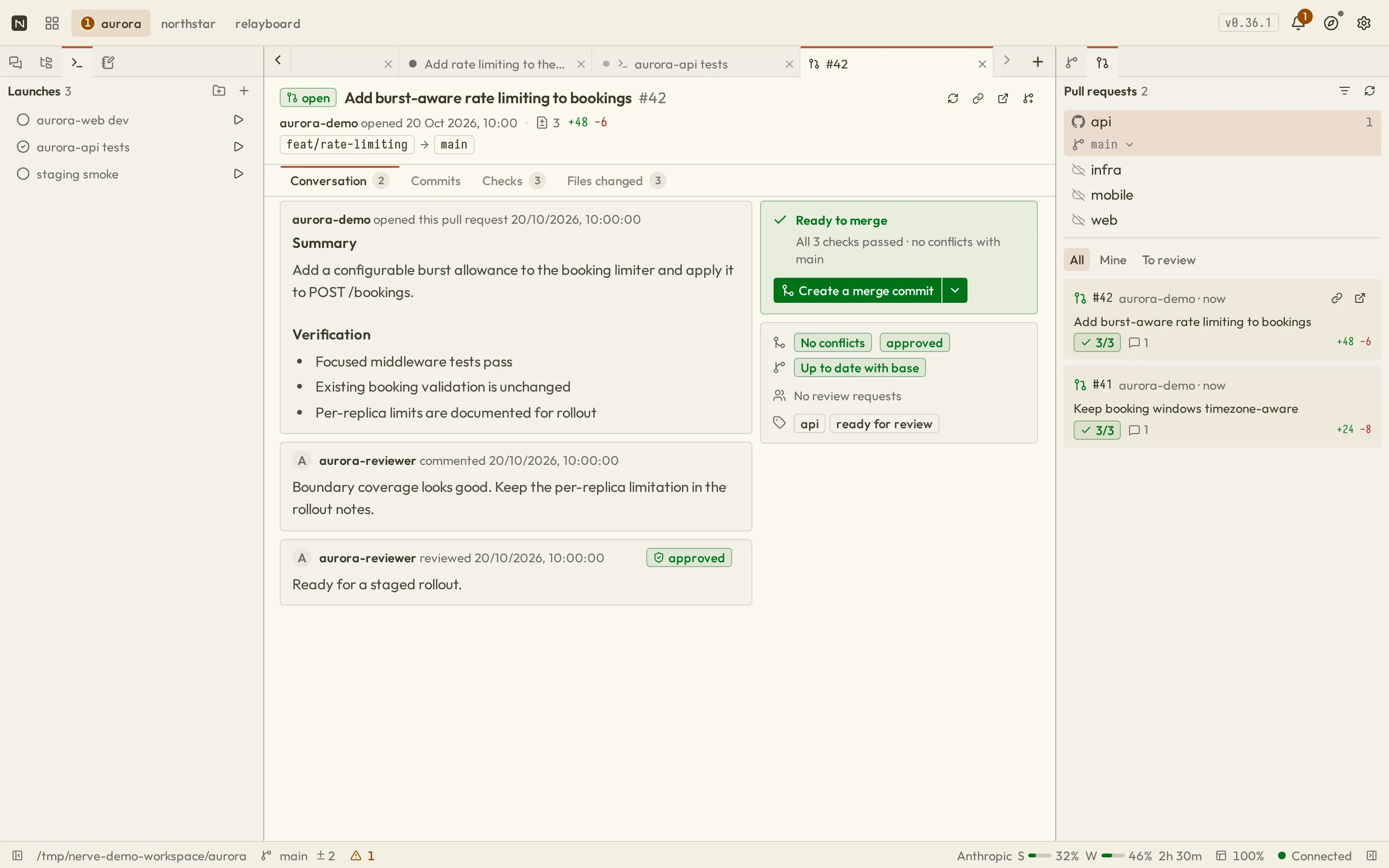
Review staged and unstaged changes, see the current branch's PR, and check review status without losing the conversation. Background Git operations report progress and failures in the header's Activity popover.

nerve · workbench
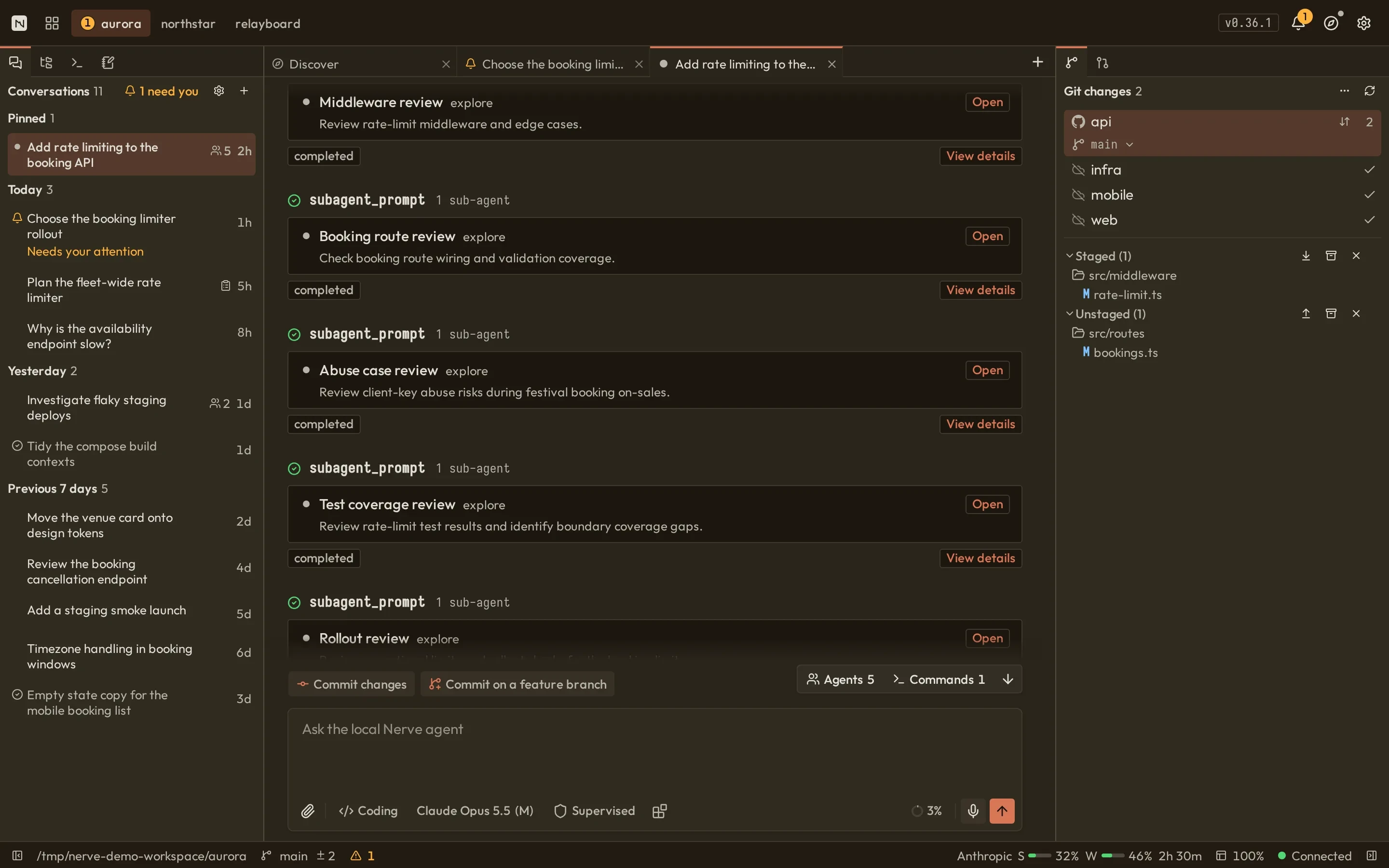
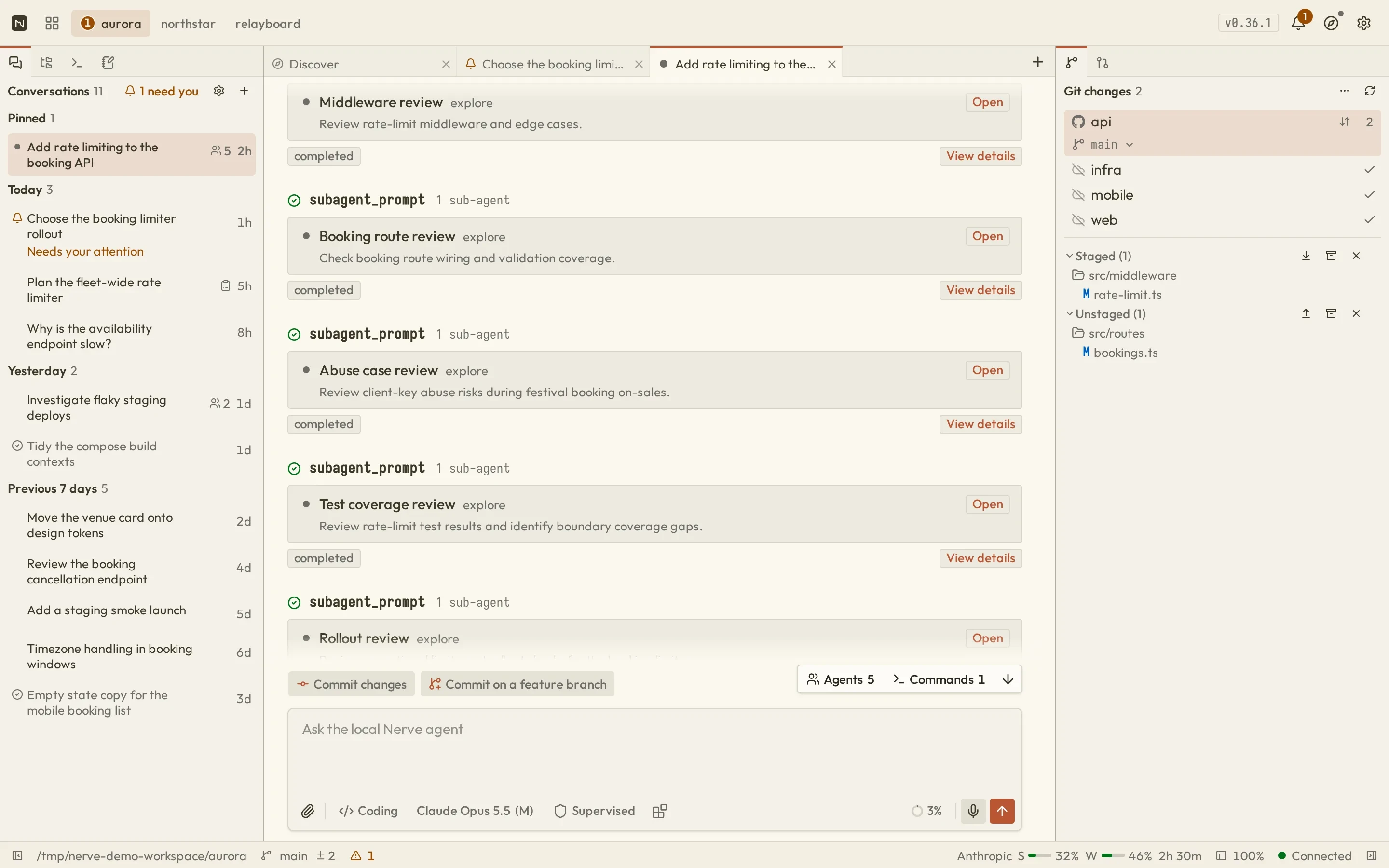
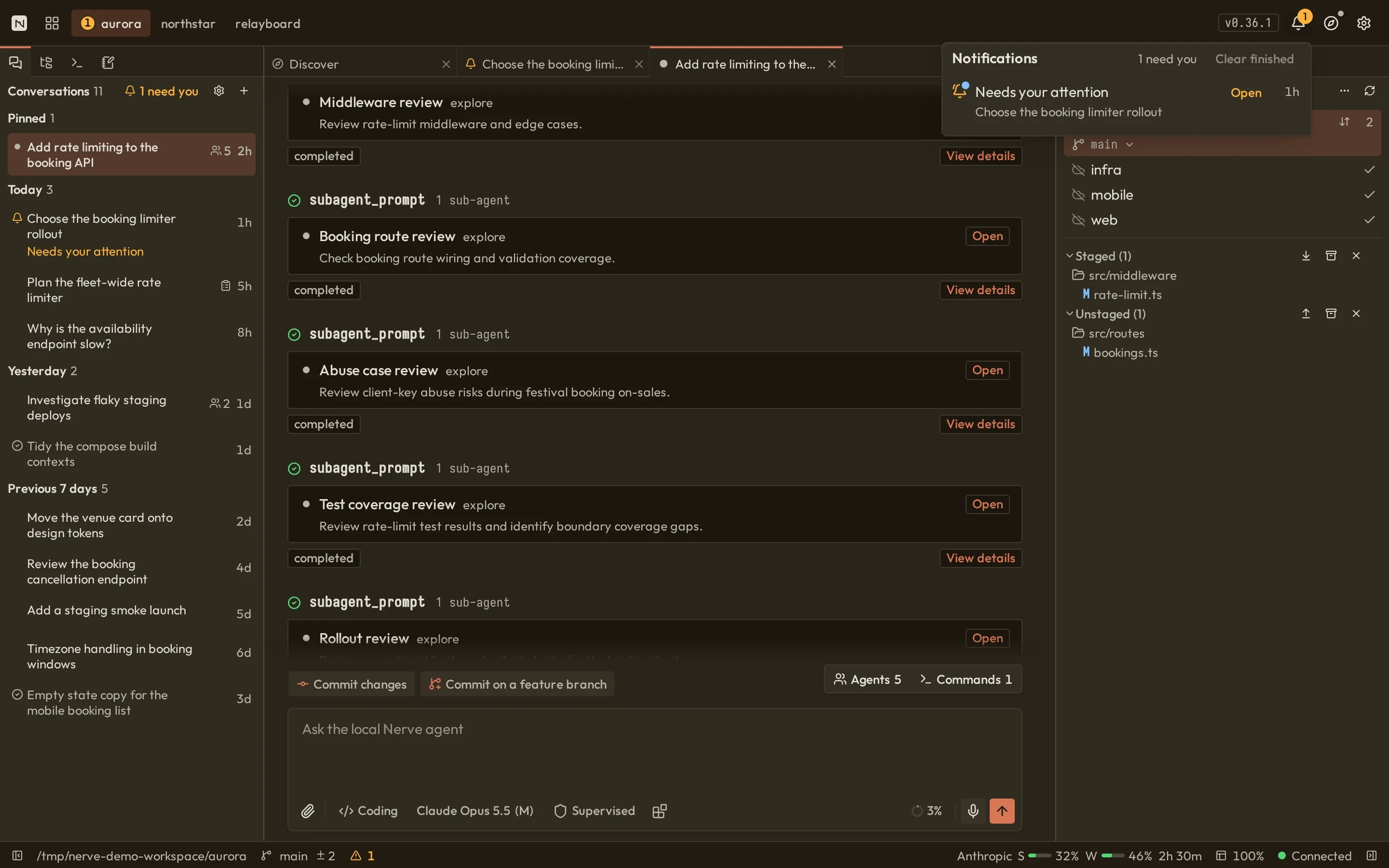
Nerve workbench: conversation list, a transcript with retained command output and sub-agent cards, and the Git panelNerve workbench: conversation list, a transcript with retained command output and sub-agent cards, and the Git panel
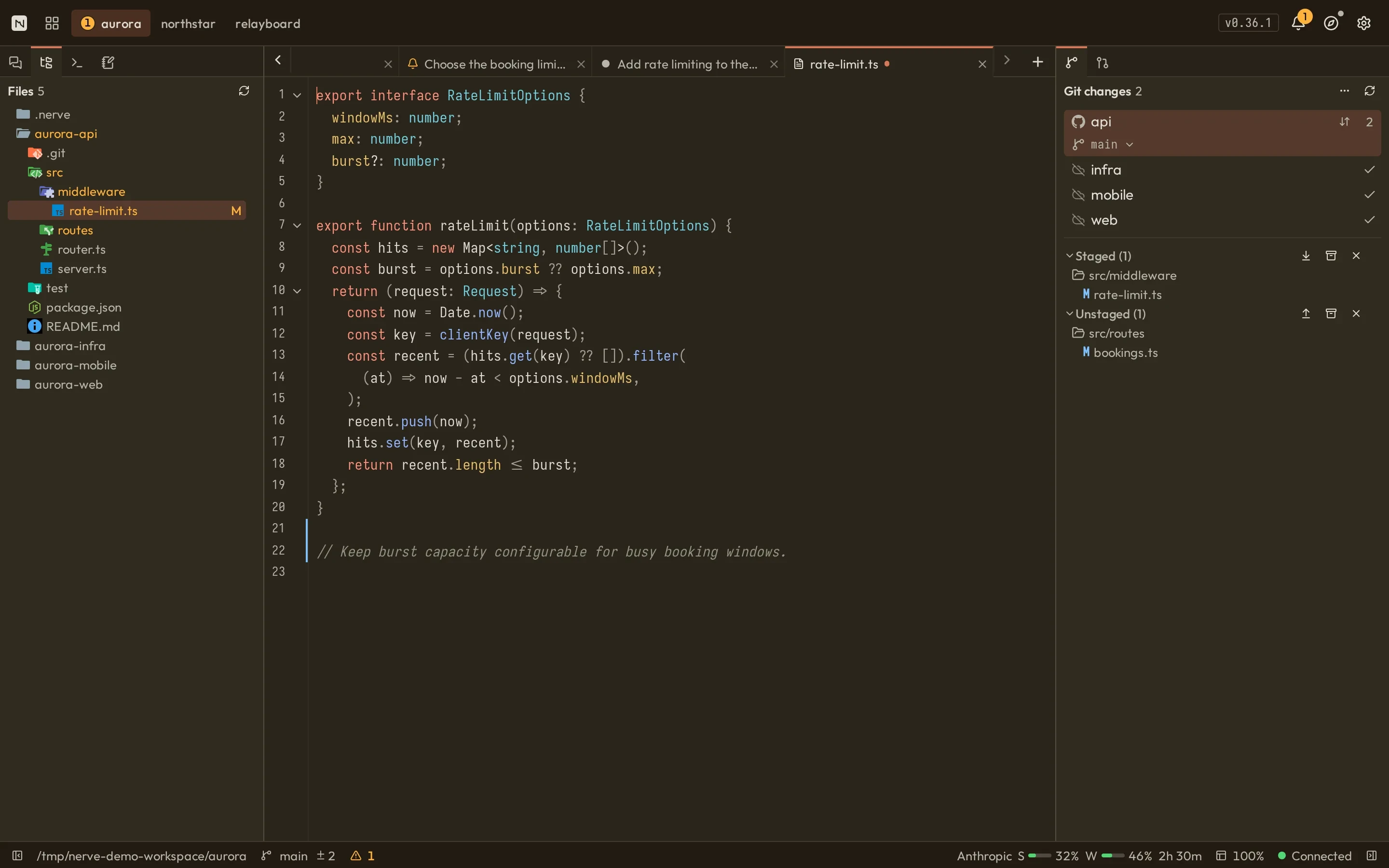
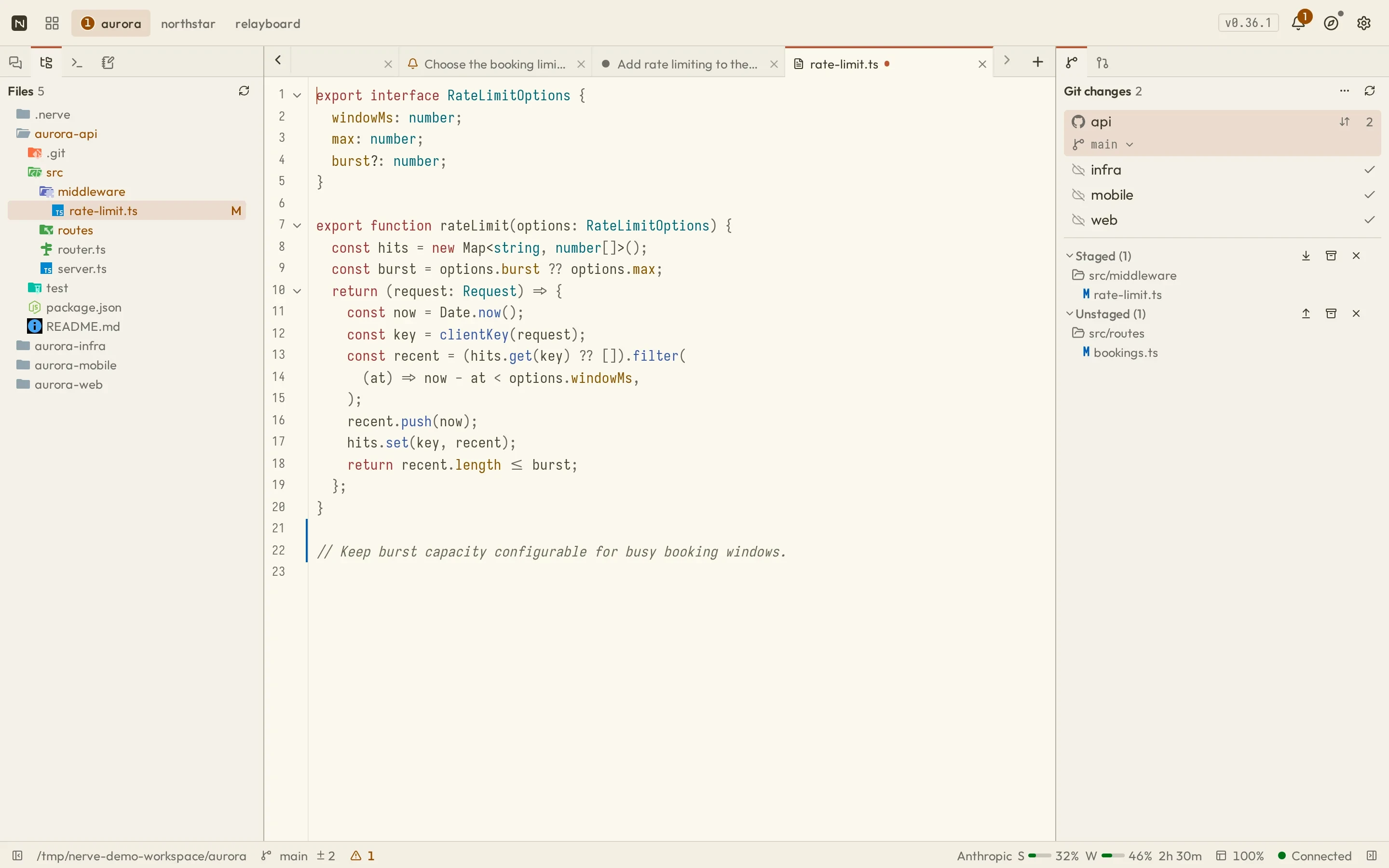
Nerve with the project file tree and rate-limit.ts open in the built-in editor with an unsaved changeNerve with the project file tree and rate-limit.ts open in the built-in editor with an unsaved change
Nerve workbench showing edit diffs beside the Git changes panel with repository state and staged and unstaged filesNerve workbench showing edit diffs beside the Git changes panel with repository state and staged and unstaged files
Nerve pull request review with summary, mergeability, and checks beside the repository-aware pull requests panelNerve pull request review with summary, mergeability, and checks beside the repository-aware pull requests panel
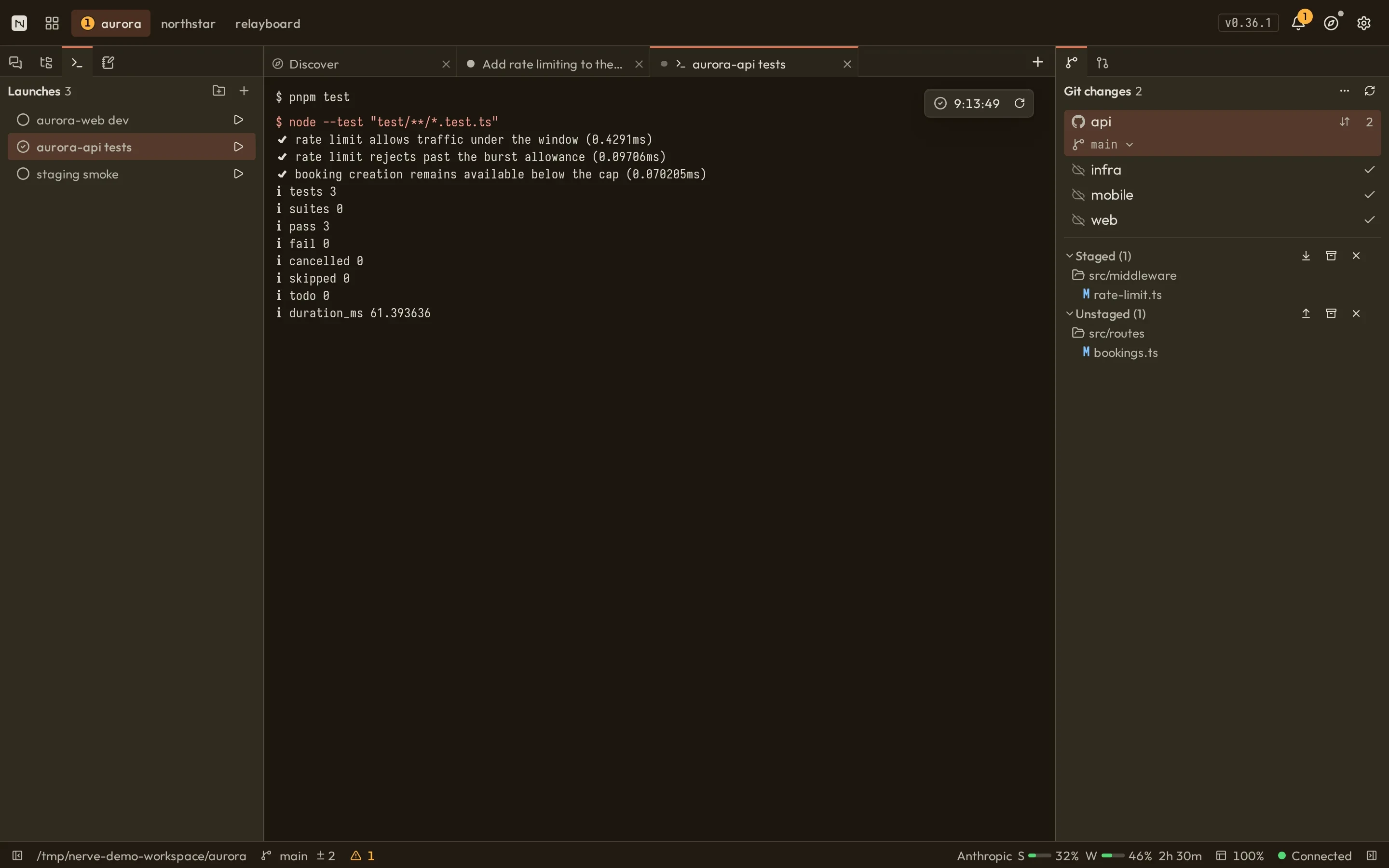
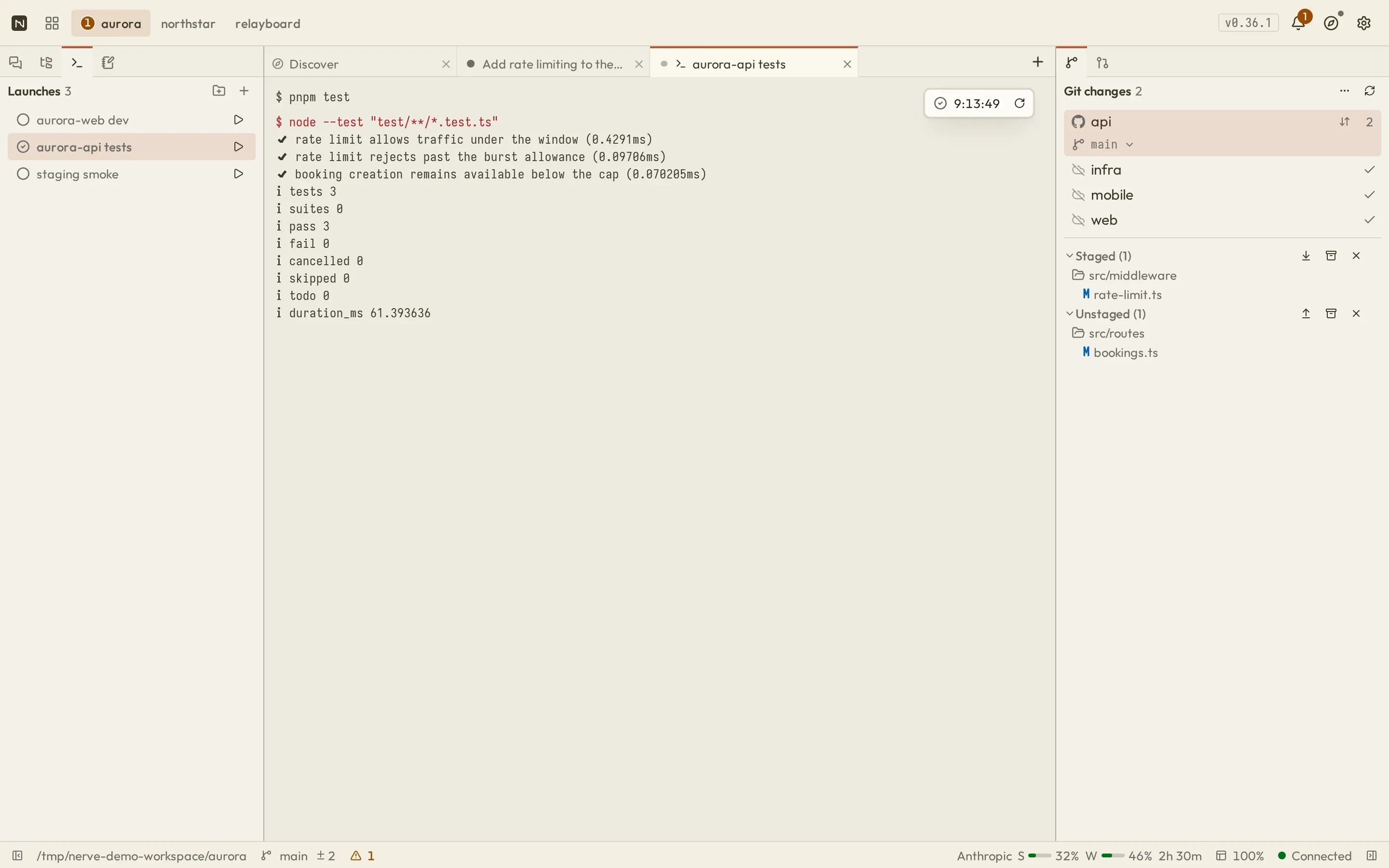
Nerve launches panel listing launch configurations beside the retained output of a test runNerve launches panel listing launch configurations beside the retained output of a test run
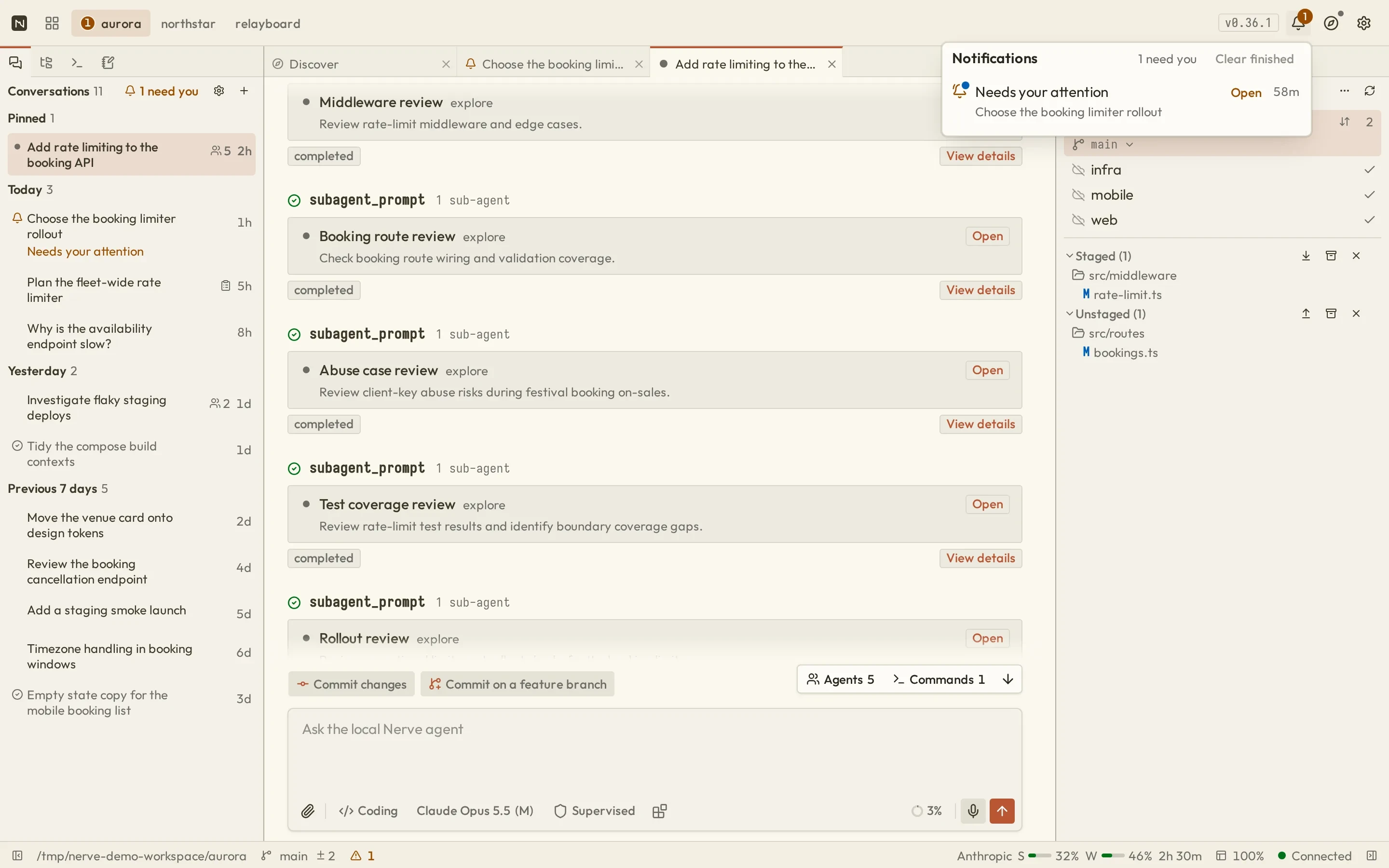
Nerve header Activity popover showing a conversation that needs your attention and an Open actionNerve header Activity popover showing a conversation that needs your attention and an Open action
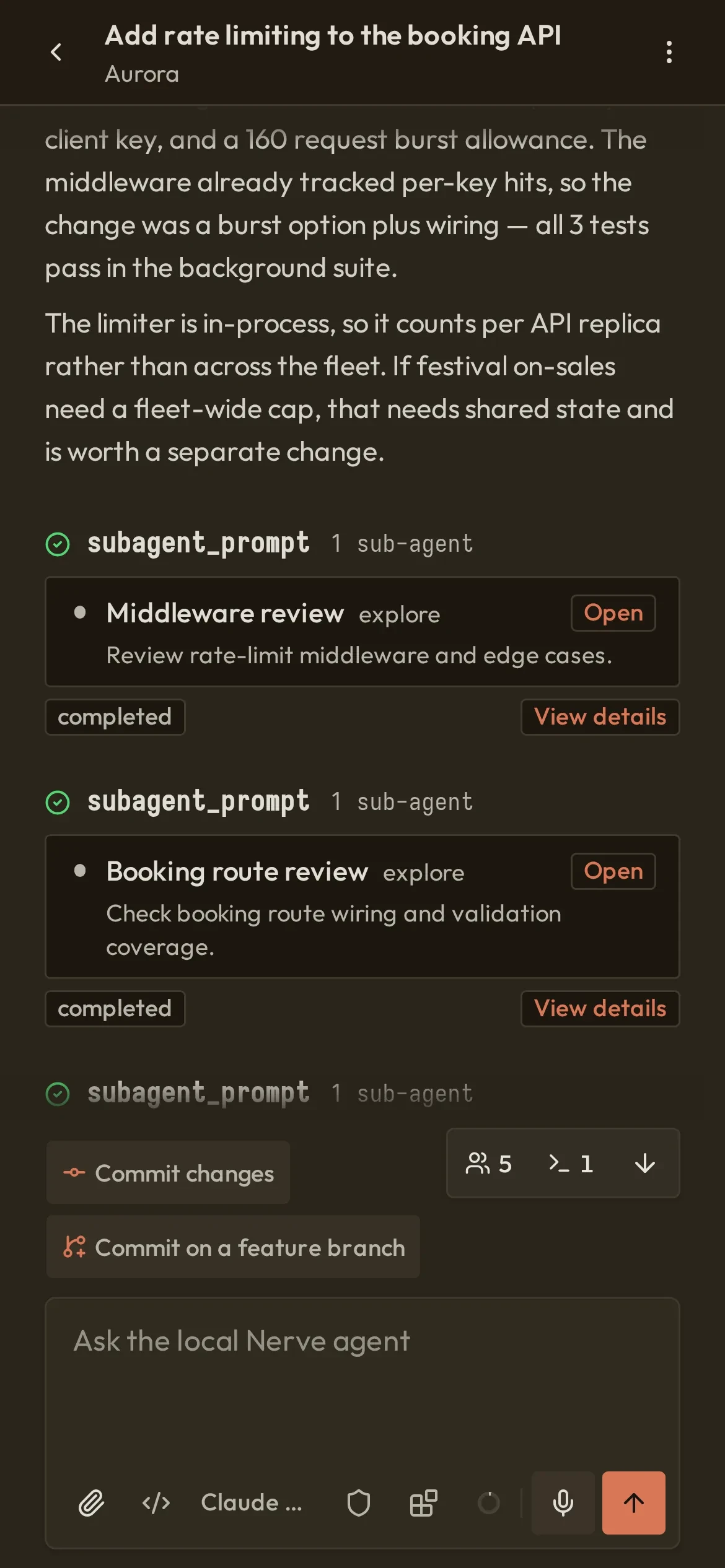
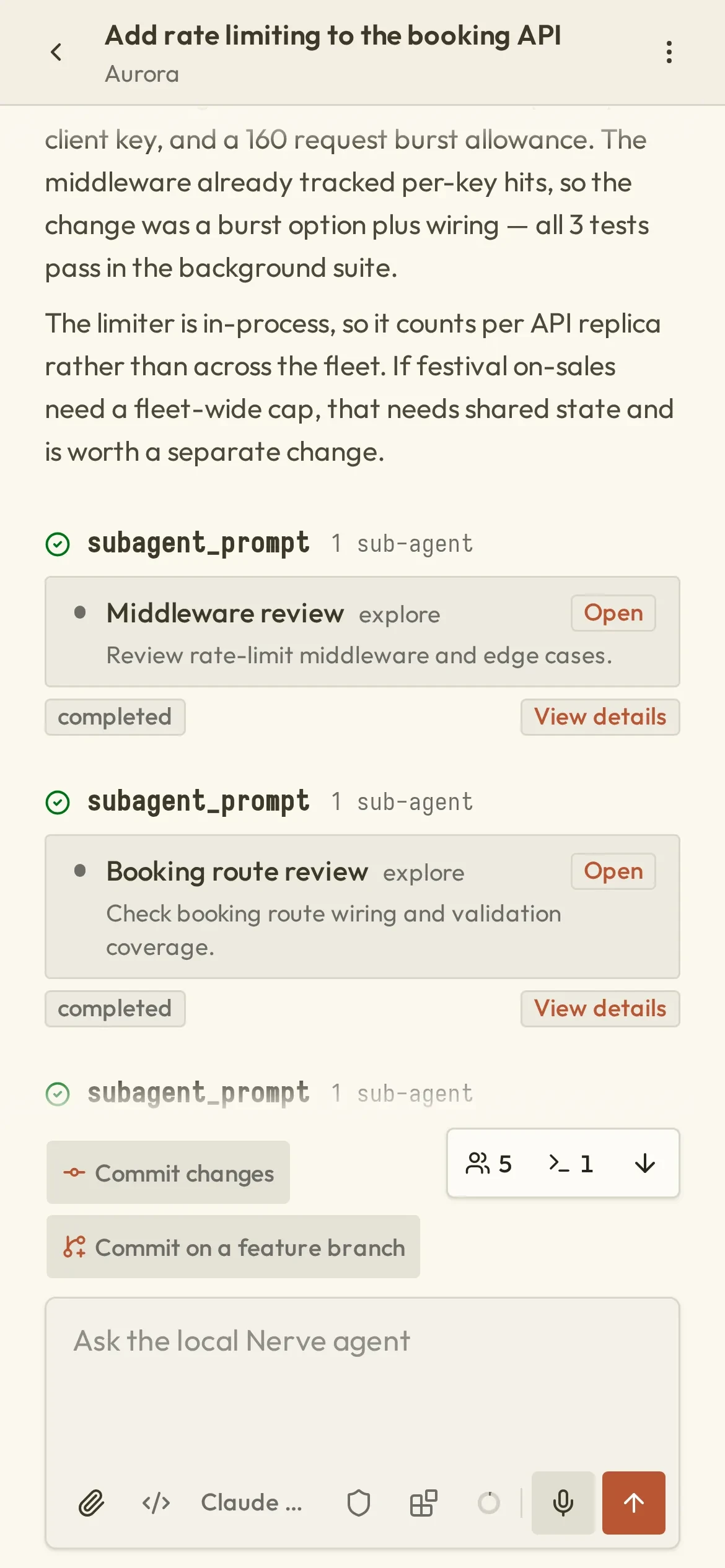
The same Nerve conversation on a phoneThe same Nerve conversation on a phone
On your LAN

TranscriptFollow tool cards from draft to result; open commands, edits and sub-agents.

Editor & filesEdit project text files in place; saves are atomic and revision-checked.

GitReview changes and the branch's PR; stage, commit and sync per repository.

Pull requestsFilter All, Mine or To review; inspect changes and checks. Needs authenticated gh.

Background tasksReusable launch commands with retained logs and start, stop or restart controls.

ActivitySee what needs your attention and open the conversation from the header.

Also in your pocket — opt in to LAN access and open the same workbench from your phone.Set up

Less friction between thought and prompt.

Reference files, paste images, insert path chips, and find commands in grouped suggestions. Model and permission controls share one toolbar. Agent questions get individual answer fields with completion, dictation, and saved drafts.Explore the composer →

Background work, foreground feedback.

The header’s Activity popover puts requests that need you first, followed by running work and finished results. Inspect Git failures, retry supported operations, or return to the conversation that needs your attention.Find your way around →

Less waiting around the work.

Rust-backed search matches and ranks completion suggestions, including project paths. Single-pass storage accounting and leaner startup recovery reduce housekeeping around your next session.See the architecture →
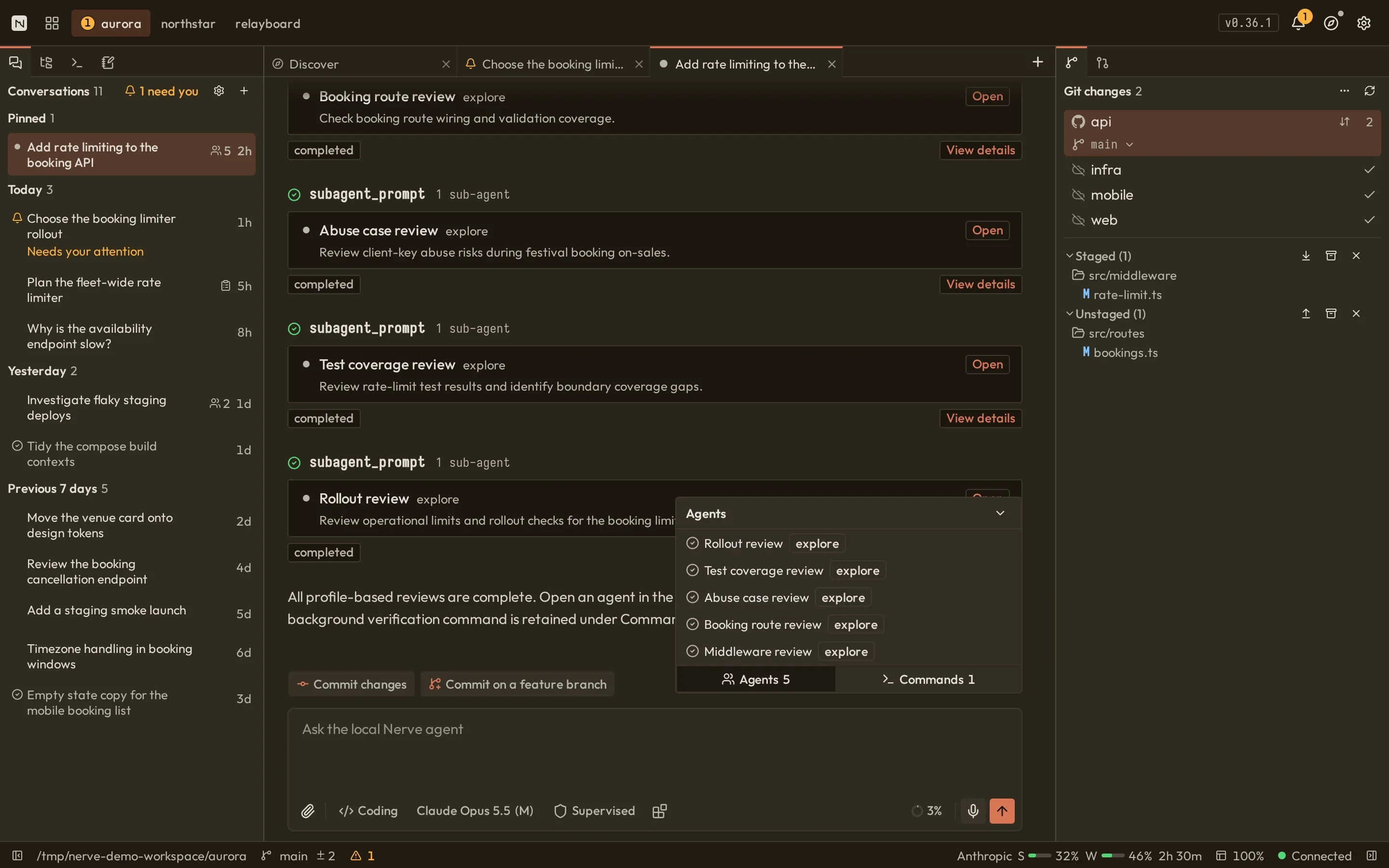
Parallel by nature

Many projects. A team of agents. All at once.

Every conversation is its own tab in its own project. Inside one, a lead agent hands work to sub-agents you shape — and they report back with receipts.

acme-web2 tabs
  • Checkout form a11yrunning
  • Bump design tokensrunning
acme-api2 tabs
  • Add rate limitinglead
  • Fix flaky auth testidle
infra1 tabs
  • Node image upgraderunning
Lead agentAdd rate limitingReports in4/4
  • map-auth-flowdone
    exploreread-only

    Trace the token refresh pathreport · 6 files traced

  • api-limiterdone
    developerautonomous

    Add rate-limit middlewarefollow-up done · tests added

  • settings-uidone
    ui-developeryour profile

    Build the limits formreport · 2 components edited

  • check-testsdone
    exploreread-only

    Find uncovered branchesreport · 3 gaps found

  • pnpm devrunning

    Dev server · background tasklogs retained

Up to 10 per batchProfiles: model · thinking · permission · tools · skillsFollow up by name

Illustrative run.

Run it on your own machine.

One command starts a local daemon. Connect a provider and open a project.

npx @nervekit/desktop@latestNode.js 24+
Star on GitHub
  1. Install
  2. Connect a provider
  3. Open a project
  • Local loopback daemon
  • State in ~/.nerve
  • No account or analytics
  • Apache-2.0
  • Linux · macOS · Windows 11